Generic AI Models Always Fall Just Short? AI GUARD Model Training Lets Devices Learn Your Specific Scenarios
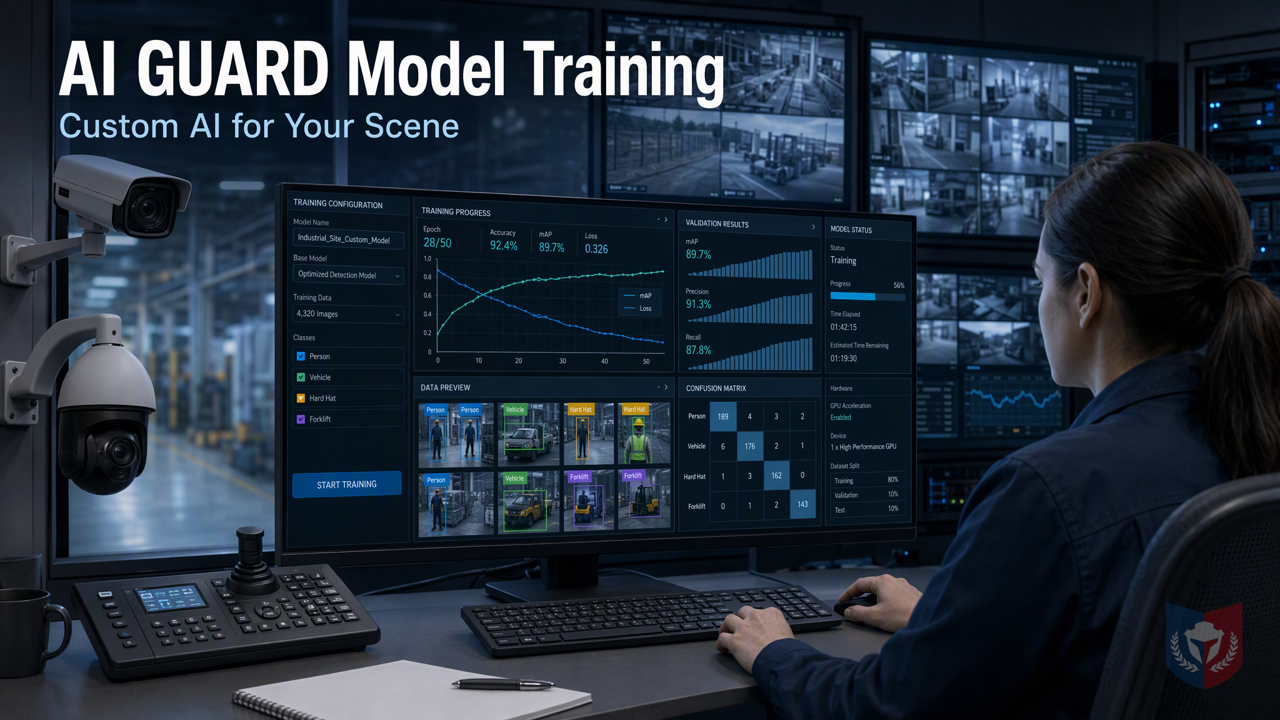
No specialists needed—anyone who can operate a computer can get started! The AI GUARD model training subsystem provides customized model support for MediaGuard AI intelligent recognition alarms, making recognition targets specific to your needs and monitoring alarms precise from now on.
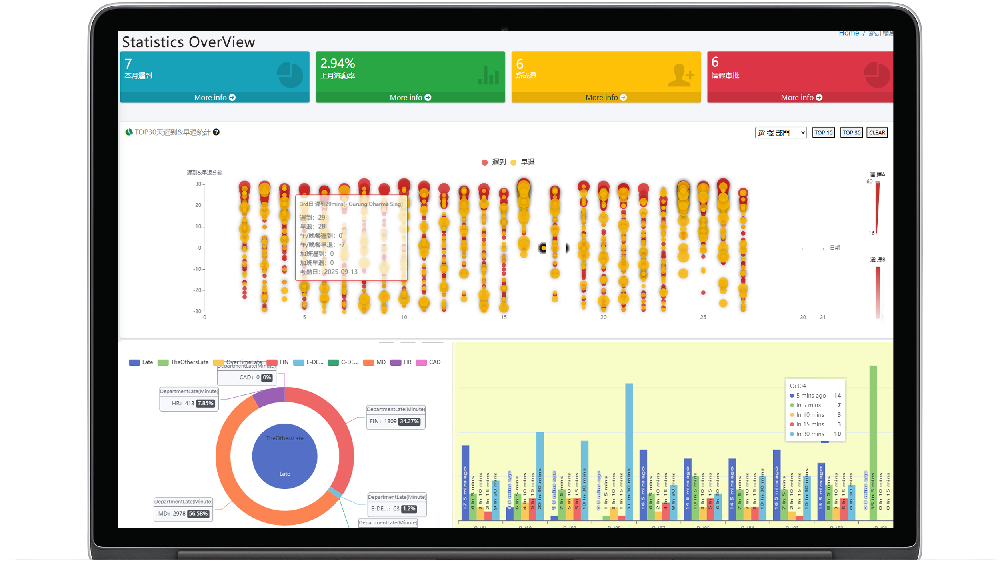
Time & Payroll Suite
Attendance, Payroll and Access Control Solution for Cost Reduction and Productivity Gains Details
All‑in‑one automated timekeeping and payroll system with robust, secure processes to guarantee payroll integrity. Includes leave management, shift rostering, multi‑site and chain support, multi‑ledger accounting, and comprehensive modules.
I. Breaking Down the Topic | Why General AI Models Always Fall Short at the "Final Step"
In the security surveillance field, the widespread adoption of AI recognition technology has many engineering practitioners and end users eager to try it, hoping to use intelligent analysis to improve operational efficiency and safety. However, after actual deployment, an awkward phenomenon often emerges: general AI models perform impressively in demo environments, but once they enter real-world scenarios, they frequently "miss detections" or "raise false alarms," always falling short at that final step.
1.1 Customer Pain Point: Prebuilt Models Don't Recognize "My World"
1.1.1 Scenarios Vary Widely, but Templates Are All the Same
Every surveillance scenario has its own uniqueness: lighting changes on factory floors, vehicle characteristics in parking lots, foot traffic patterns in retail stores, and even pet activity in community courtyards. However, most prebuilt models on the market are trained on general datasets and struggle to cover these long-tail scenarios. The result is that customers must constantly adjust parameters and accommodate the equipment, rather than letting the equipment adapt to the environment.
1.1.2 Specialized Recognition Targets Are the Essence of Surveillance
The core value of surveillance lies in "recognizing the people and things you truly care about." Whether it is restricted-area intrusion, abandoned objects, or specific behavior detection, only models trained for specialized targets can accurately issue alerts. General models may be able to recognize "people" or "vehicles," but they cannot distinguish "factory employees" from "outside visitors," and they are even less able to determine "illegal parking" versus "normal passage."
1.1.3 You Have Your Own Data to Upload, but Don't Know Where to Start
Many customers realize they need specialized models and have accumulated a lot of on-site imagery, but they hesitate when it comes to model training—lack of professional AI knowledge, no suitable tools, concerns about data privacy, and various barriers deter them. Even when they want to do it, they often give up halfway because the process is too complex.
1.2 Breaking Down the Topic: AI GUARD Model Training Subsystem
1.2.1 One-Sentence Selling Point: Let the Equipment Learn You, Not You Accommodate the Equipment
The AI GUARD Model Training Subsystem was created precisely to solve the above pain points. It provides an intuitive and easy-to-use toolchain that lets ordinary computer users get started easily and, through simple steps, teach the equipment to recognize your specialized scenarios. From then on, the surveillance system is no longer merely "usable with compromises," but a truly intelligent assistant that fits your needs.
1.2.2 Role Division of the Three Major Programs
The AI GUARD Model Training Subsystem operates through the collaboration of three core programs, each with its own role:
1.2.2.1 AGMT Cloud — Cloud Command Center
AGMT Cloud is the hub of the entire training workflow, responsible for managing datasets, annotation tasks, and training task scheduling. It provides a friendly web interface that allows users to remotely upload data, view annotation progress, initiate training, and monitor training status. All operations are completed in the browser, with no additional software installation required.
1.2.2.2 AGMT Edge — On-Site Computing Power Engine
AGMT Edge is deployed on GPU nodes within the local area network and is responsible for the actual model training work. Keeping computing power on site not only ensures that data privacy does not leak out, but also makes use of existing hardware resources to reduce cloud costs. AGMT Edge proactively receives training tasks from AGMT Cloud and returns the model after completion, forming a closed loop.
1.2.2.3 AiGuardCloudApp — One-Click Deployment Transceiver Station
AiGuardCloudApp is the bridge connecting the cloud and the edge, and it is also the main entry point for user operations. Through this application, users can easily deploy trained models to the MediaGuard AI intelligent recognition alarm system, go live with one click, and take effect immediately. Whether adding new recognition targets or optimizing existing models, it can be completed quickly.
II. Feature Overview | From a Single Image to a Custom Model
The AI GUARD Model Training Subsystem breaks the complex model training workflow into three intuitive steps: data collection, annotation, and training. Even without an AI background, you can complete them step by step.
2.1 Data Collection: Assets Are the Capital for Training
2.1.1 Image and Video Upload, Multi-Tenant Isolation
Users can upload image or video files through AGMT Cloud, and the system supports a variety of common formats. All data is stored with multi-tenant architecture isolation, ensuring that different customers' data does not interfere with each other and meeting enterprise-level security requirements.
2.1.2 Automatic Video Frame Extraction, Turn One Second into Samples
For video files, the system provides automatic frame extraction, which can capture frames at specified intervals and quickly convert long videos into large numbers of training samples. Users do not need to take screenshots manually, greatly saving preparation time.
2.1.3 One Image, Multiple Uses: The Same Asset Can Enter Multiple Datasets
The same image or video frame can be referenced by multiple datasets at the same time without repeated uploading. For example, imagery from the same scene can be used both in a "person detection" dataset and in a "helmet recognition" dataset, fully realizing the value of the data.
2.2 Annotation: Drawing Boxes Is Teaching
2.2.1 Browser-Based Box Drawing, Zero Installation, Zero Code
The annotation interface runs entirely in the browser. Users only need to drag boxes with the mouse, select target objects, and assign category labels to complete annotation. The entire process requires no software installation and no coding, truly achieving zero barriers.
2.2.2 Each Box Saved Independently, Different Tasks Have Their Own Annotation Sets
The system allows multiple annotation tasks to be created for the same image, with the annotation results of each task stored independently. For example, one task annotates "vehicles," while another annotates "license plates," without affecting each other. This allows datasets to be flexibly reused for different training objectives.
2.2.3 Snapshot Mechanism: Freeze Samples, Make Training Reproducible
When a dataset is ready, users can create a "snapshot" to freeze the current version of the data and annotations. Snapshots ensure that the data used in each training run is consistent, make experimental results reproducible, and facilitate later tracing and comparison.
2.3 Training: Computing Power Stays On Site, Privacy Never Leaves
2.3.1 Local Area Network GPU Nodes, Proactive Action
AGMT Edge is deployed on GPU nodes within the customer's local area network, and the training process is conducted entirely locally. Sensitive imagery does not need to be uploaded to the cloud, further enhancing privacy protection. AGMT Edge proactively pulls training tasks from AGMT Cloud and returns the model after completion, enabling efficient collaboration.
2.3.2 Three Codename Lines, Choose Speed or Accuracy as Needed
The system provides multiple training configurations to meet the needs of different scenarios. Among them, the AG5 series is a classic and robust choice, suitable for users pursuing stability; other codename lines are optimized for speed or accuracy, and users can choose according to actual conditions.
Conclusion: Custom Models Make Surveillance Truly Intelligent
General AI models may solve 80% of common problems, but the remaining 20% is often the key to the business. The AI GUARD Model Training Subsystem, with its human-centered design, allows ordinary computer users to easily build custom models and inject precise recognition capabilities into MediaGuard AI intelligent recognition alarms. Whether you are a security surveillance engineering practitioner or an end user, you can use this toolset to let the equipment learn your world, rather than you accommodating the equipment. Start now and experience the transformation brought by specialized recognition targets.





















Featured Reviews
No reviews yet. Be the first to leave one.
Write a review
Supports bold and lists; do not paste external scripts or images
0 / 2000
Visible after review