How to Choose Site Attendance Equipment? A Practical Guide to DGX HRMS and the New CIC Rules
Carefully selected attendance equipment paired with DGX HRMS helps sites comply with the new CIC rules, accurately record attendance, submit DARs easily, and avoid compliance risks.
Time & Payroll Suite
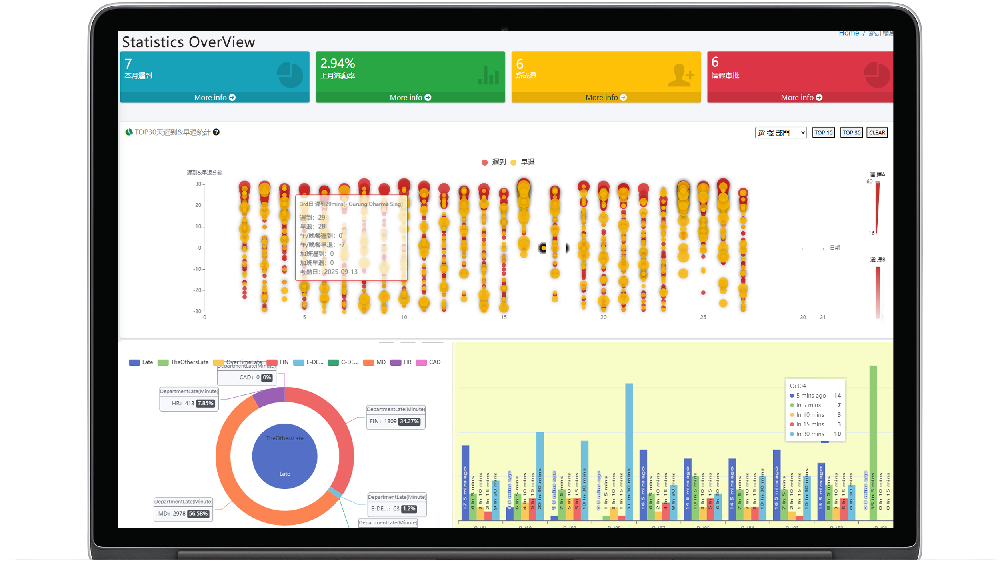
Attendance, Payroll and Access Control Solution for Cost Reduction and Productivity Gains Details
All‑in‑one automated timekeeping and payroll system with robust, secure processes to guarantee payroll integrity. Includes leave management, shift rostering, multi‑site and chain support, multi‑ledger accounting, and comprehensive modules.
Site Attendance New Rules Are Here — Are You Ready?
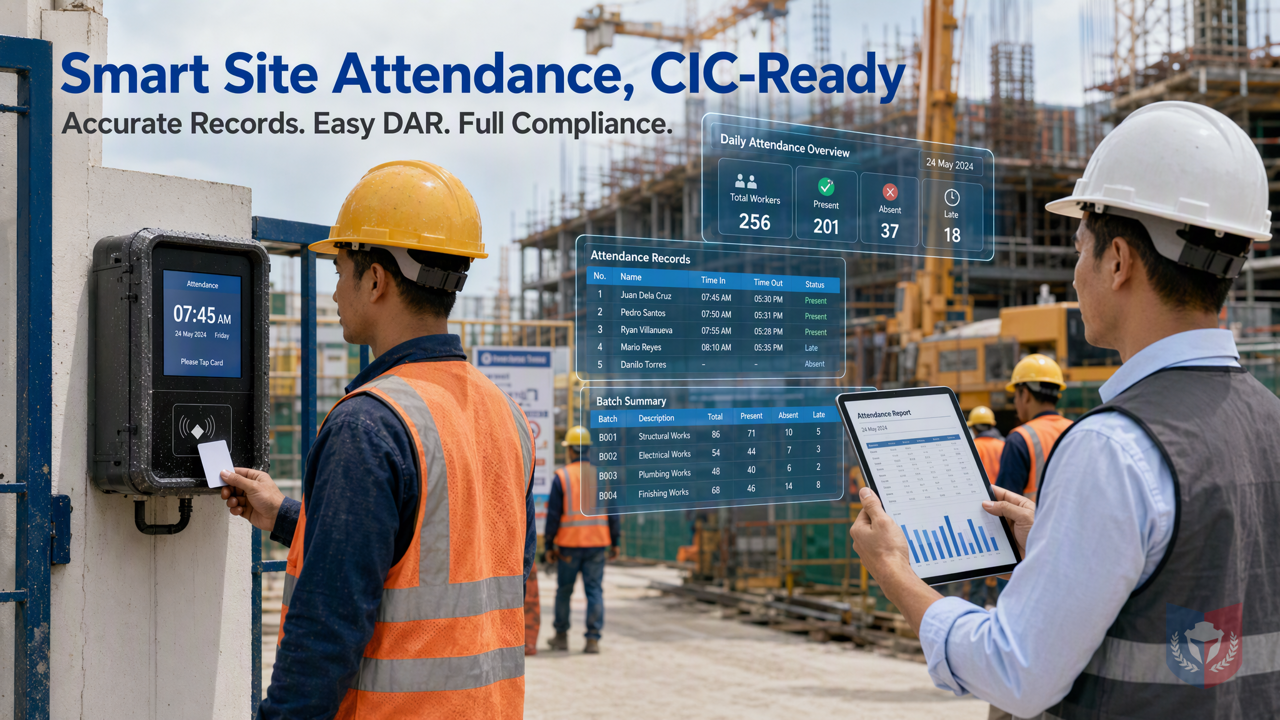
The Construction Industry Council (CIC) and the Development Bureau of Hong Kong have been actively promoting site safety and the digitalization of subcontractor registration in recent years, with increasingly strict privacy requirements for site worker records. Under the Construction Workers Registration Ordinance, main contractors must submit Daily Attendance Records (DAR) on time and promptly update workers' registration records after they leave employment to ensure compliance. In the face of these new rules, project officers, project managers (PMs), and construction supervisors must stay informed to avoid legal liability.
This article starts with selecting attendance devices and combines them with the features of the DGX HRMS Attendance and Payroll Management system to provide a practical guide that helps you easily handle the new CIC rules.
How to Choose Attendance Devices? Reliability and Integration Are Key
Site environments are complex, so attendance devices must be highly durable, dustproof, and waterproof, and must integrate seamlessly with the management system. DGX HRMS attendance devices (A. 📌Attendance Devices) support multiple card-tapping methods, including proximity cards, fingerprints, and facial recognition, ensuring accurate worker attendance records. When choosing devices, consider the following points:
- Environmental adaptability: Devices must withstand the dust, vibration, and humidity of construction sites.
- Real-time data synchronization: Attendance records should be uploaded to DGX HRMS in real time so management can review them at any time.
- Permission management: Use the DGX HRMS role and permission system to ensure only authorized personnel can operate devices and view data.
DGX HRMS attendance devices are not only reliable but also closely integrated with system features such as role permissions and reports, improving overall compliance efficiency.
Role and Permission System: Precise Control of Card-Tapping Permissions
DGX HRMS uses a policy and role hybrid architecture system (B.1 Policy and Role Hybrid Architecture System), allowing enterprises to customize roles according to their business situation. The system presets roles such as System Administrator (SystemAdmin), Company Administrator (Admin), and Company Operator (MainComOperator), and allows you to define permissions and configure permissions and policies (B.1.2 Configure Permissions and Roles). This means you can precisely control who has permission to add, modify, or delete worker attendance records and manage card-tapping permissions.
When a worker leaves, site management personnel should immediately update the "End Date" in the worker's registration record to the departure date in the system and disable the worker's card-tapping permission to ensure the worker can no longer tap in at the site. The role permission features of DGX HRMS let you perform these operations quickly and avoid privacy leakage risks.
Report Features: Easily Submit DAR
The report features of DGX HRMS (C.📌Reports) can automatically generate attendance reports that meet CIC requirements, simplifying the DAR submission process. The system supports multiple report formats and can automatically send notifications via Email Account (D. 📌Email Account) to ensure management follows up in a timely manner. In addition, Software Information (E. 📌Software Information) and Industry Solutions (F. 📌Industry Solutions) show that DGX HRMS is designed specifically for the construction industry and can meet site-specific needs.
System Management: Batch Import and Approval Workflow
In System Management (H. 📌System Management), DGX HRMS provides a batch import attendance list feature (H.8 Batch Import Attendance List) to quickly create worker records. The system also supports approval workflows, such as salary adjustments or attendance deductions, which take effect only after approval confirmation. Please note: if you use the approval workflow for approval, the scheduling settings cannot be started multiple times repeatedly and must be recreated; with ordinary approval, scheduling can be started or stopped repeatedly.
Here is a practical example: when worker Chan Tai Man leaves, first manually adjust the clock-out tap to complete any missed attendance punches for that day. Next, enter a payment in lieu of notice of 7 days' salary (20000 7/30) by adding an account detail entry with the note "7 days' salary in lieu of notice". Then go to payroll attendance deductions for approval confirmation (once approved, it will no longer be calculated every day), so that 20,000 minus 15 days of attendance deductions equals 10,000. If the attendance KPI reward and penalty mechanism also needs to be executed, the KPI assessment for the corresponding month must be approved (assumed to be 0). If there are additional payroll calculation items, they need to be confirmed or canceled. Finally, in the payroll accounts, query Chan Tai Man in the monthly settlement list and go through the approval confirmation process; the final result is 10,000 + 20000 7/30. In simple terms: deduct the unfinished scheduling in the remaining settlement cycle and the working time for lateness and early departure, which is the attendance deduction amount. After completing the bank transfer, click settlement entry to record the relevant transaction number and bank information, export the report for archiving, and the whole process is complete. Additional note: the deductions and financial items generated above have already been approved and do not affect the system calculations generated the next day.
Accounting codes in the system indicate their source: system-calculated accounting codes are marked with [SYSCALC], custom accounting codes are marked with [CUSTOMIZE], and system default accounting codes for non-logical business calculations are marked with [SYSTEM]. Common leave types include general leave GL (GENERALLEAVE), administrative leave ADL (ADMINISTRATIVELEAVE), sick leave SL (SICKLEAVE), annual leave AL (ANNUAL_LEAVE), paternity leave PL (Paternity Leave), etc.
Development Features and Multilingual Management
The development features of DGX HRMS (G. 📌Development Features) are continuously optimized to meet industry needs. Multilingual management (H.6 Multilingual Management) supports Chinese and English interfaces for employees from different backgrounds. Features such as system user management (H.7 System Users) and company service review (H.4 Company Service Review) ensure system security and compliance.
Conclusion: Compliance and Efficiency Together
In the face of the new CIC rules, choosing reliable attendance devices and combining them with the powerful features of DGX HRMS is key to site compliance. From permission management to report submission, DGX HRMS helps you accurately record attendance, easily submit DAR, and avoid compliance risks. Contact us now to learn how to build an efficient and compliant attendance solution for your site.















Featured Reviews
No reviews yet. Be the first to leave one.
Write a review
Supports bold and lists; do not paste external scripts or images
0 / 2000
Visible after review